Mastering Your Halloween Projects with Decorative Bat Silhouette Sublimation
Halloween crafting season brings a rush of creativity, and few elements are as iconic or versatile as the bat. When you dive into decorative bat silhouette sublimation, you are unlocking a world of potential for t-shirts, mugs, tumblers, and home décor. However, the difference between a professional-looking finish and a blurry, pixelated mess often comes down to how you handle your digital assets. Many creators, from seasoned small business owners to weekend hobbyists, stumble not because they lack talent, but because they overlook critical technical details regarding file formats and resolution.
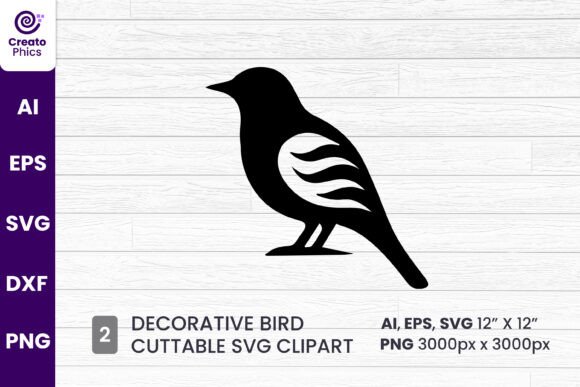
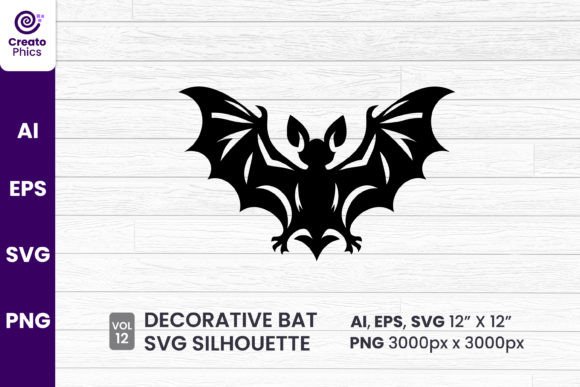
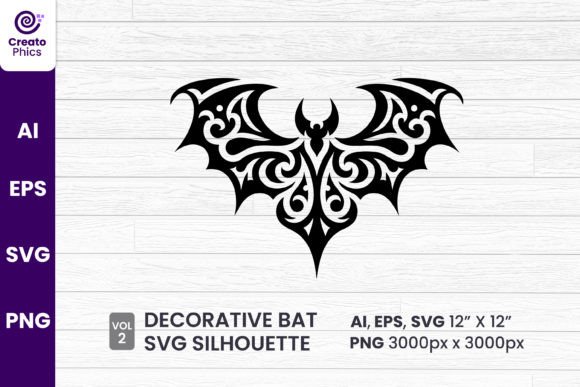
This sleek, modern design features clean lines and intricate detailing that can elevate any project, but only if utilized correctly. Understanding the nuances of vector versus raster graphics is the first step in ensuring your final product looks sharp. A common misconception is that all image files are created equal. When you download a package containing AI, EPS, SVG, and PNG formats, each serves a distinct purpose. Ignoring these distinctions can lead to wasted materials, frustrated customers, and lost time.
The Vector vs. Raster Trap
One of the most frequent errors occurs when crafters attempt to resize images without understanding the underlying technology. The decorative bat black silhouette sublimation clipart SVG included in high-quality bundles is a vector file. This means it uses mathematical paths to define shapes, allowing you to scale it from the size of a coin to a billboard without losing any clarity. In contrast, the PNG file is a raster image made of pixels.
If you try to enlarge the 3000px x 3000px PNG beyond its intended limits, you will encounter pixelation. The edges of your bat will look jagged and fuzzy, ruining the "sleek, modern" aesthetic promised by the design. Conversely, using a vector file like the AI or EPS format requires specific software, such as Adobe Illustrator or CorelDRAW. Beginners often avoid these files thinking they are too complex, opting instead for the easier-to-open PNG. This is a missed opportunity. By sticking only to PNGs, you limit your ability to customize the design's size for large-format printing, such as full-wrap tumblers or oversized banners.
Better Approach: Always start your design process with the vector files (AI, EPS, or SVG) if you need to change the dimensions significantly. Use the high-resolution PNG only when your design software does not support vectors or when the size matches the 300 DPI requirement exactly. This ensures your lines remain crisp regardless of the substrate size.
Overlooking Color Profiles and Transparency
Sublimation relies on heat to transfer dye into polyester fibers or coated surfaces. The quality of your transfer is heavily dependent on the color profile of your source image. A frequent oversight is working in the RGB color space (used for screens) and printing directly without converting to CMYK or the specific ICC profile recommended by your sublimation printer. While the transparent background of the PNG is a huge advantage, preventing white boxes from appearing around your bat, the color vibrancy can shift dramatically during the heat press process if not managed.
Black silhouettes seem simple, but a pure black (100% K) in some profiles can result in a washed-out gray or a muddy dark brown after pressing. Furthermore, some users forget to check the transparency layer entirely. If you accidentally place your bat on a white background layer in your editing software before printing, that white ink will transfer onto your mug or shirt, creating an unwanted opaque square behind your design.
Practical Advice: Before committing to a full production run, perform a test press. Check your software settings to ensure the background layer is truly invisible. Additionally, consider adjusting the brightness and contrast of your black silhouette slightly darker than it appears on screen to compensate for the fading that occurs during heat transfer. This proactive step saves costly blanks from being ruined.
Misunderstanding File Compatibility
You may have purchased a comprehensive bundle featuring AI 12 inch x 12 inch, EPS 10, SVG, and PNG formats, yet find yourself unable to open them. This leads to unnecessary frustration and the false assumption that the files are corrupted. The reality is often a software compatibility issue. For instance, older versions of design software might struggle with newer AI file versions, or a cutting machine software might not natively support EPS files without conversion.
Many entrepreneurs make the mistake of trying to force a file type into a program that isn't built for it, leading to distorted paths or missing nodes in the vector data. This is particularly true when importing SVGs into basic photo editors rather than vector-based programs. The intricate detailing of the bat silhouette can get lost if the software simplifies the path data to make it "easier" to process.
Solution: Verify your software capabilities before purchasing or downloading. If you use Cricut Design Space or Silhouette Studio, the SVG format is usually your best friend. If you are a professional graphic designer using the Adobe Suite, the AI and EPS files offer the deepest level of control. Do not try to edit a complex vector in a pixel-based editor like MS Paint or basic previewers; this strips away the scalability benefits.
Evaluating Resolution for Specific Applications
While 300 DPI is the gold standard for print, context matters. The provided 3000px x 3000px PNG is excellent for most standard sublimation projects, such as 11oz mugs or medium-sized apparel. However, issues arise when creators assume this resolution is sufficient for everything. If you are sublimating a large wall hanging or a full-size pillowcase, stretching a 3000px image can drop the effective DPI below the acceptable threshold, resulting in a soft or blurry image.
This is where the value of the included vector formats shines. Unlike the fixed-resolution PNG, the vector files have no pixel limit. Failing to recognize when to switch from raster to vector based on the physical size of your product is a costly error. It affects the perceived quality of your brand and can lead to customer dissatisfaction if the details of the bat's wings appear indistinct.
Checklist for Success:
- Calculate Print Size: Divide the pixel dimension by your target DPI (usually 300) to see the maximum print size for the PNG. For a 3000px image, this is roughly 10 inches. Anything larger requires the vector file.
- Inspect the Edges: Zoom in to 400% on your screen. If the edges of the bat look stair-stepped in your design file, you are working with pixels at too low a resolution for that size.
- Verify Transparency: Toggle the background layer off and on to ensure no stray white pixels remain around the silhouette.
Making the Right Choice for Your Workflow
Ultimately, the goal is efficiency and quality. The decorative bat silhouette sublimation asset is a powerful tool, but it demands respect for technical standards. Whether you are a freelancer creating custom orders or a blogger designing seasonal content, taking the time to select the correct file format and prepare your artwork properly pays dividends. Avoid the temptation to rush the setup phase. By understanding the strengths of the AI, EPS, SVG, and PNG formats provided in your download, you ensure that every bat you press is as sleek and modern as the original design intends.
Remember, this is a digital downloadable product. No physical item will arrive in your mailbox. Your success depends entirely on how you manage these digital files on your computer. Treat them with care, organize them by format, and always keep the original vectors safe as your master copies. With the right preparation, your Halloween projects will stand out for their professionalism and clarity, turning a simple silhouette into a standout piece of art.